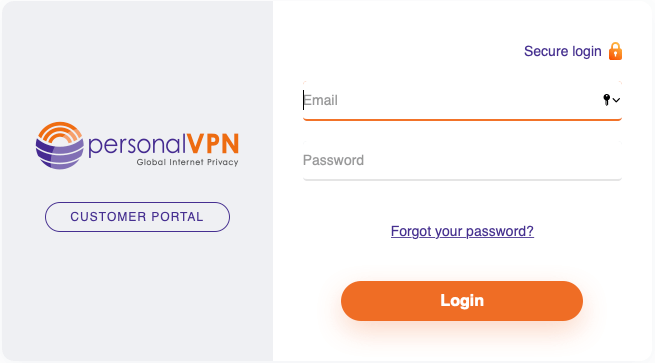
Click on the Download/Setup button on your active services
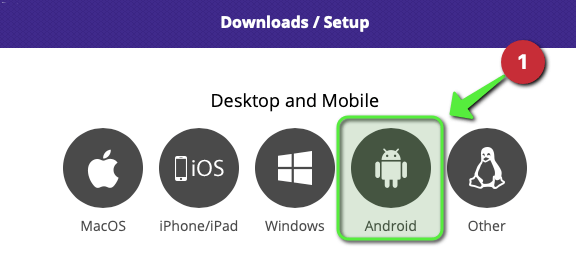
Click on the Android Icon
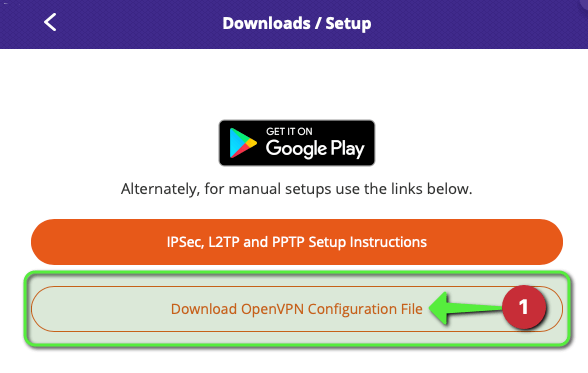
Click on Download OpenVPN Configuration File option
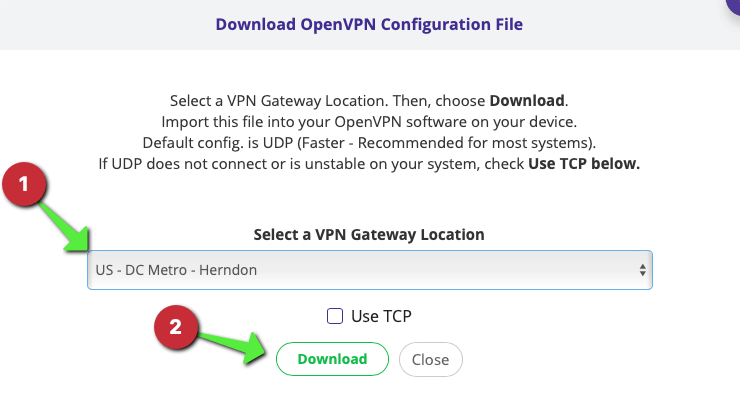
Select the location that you would like to connect to ( in this example, we’ll use DC Metro - Herndon ), then click on Download
To setup multiple locations on your device, follow the steps listed to download additional configs.
Downloading the OpenVPN Software, and adding connections
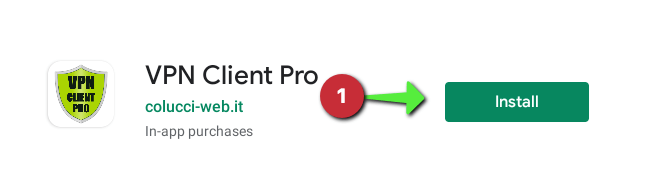
Download the VPN Client Pro app from the Google Play Store.
Click on Install
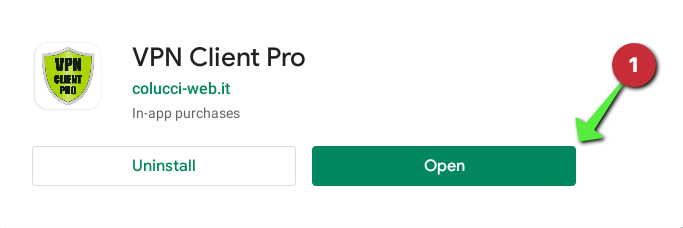
Open the VPN Client Pro app
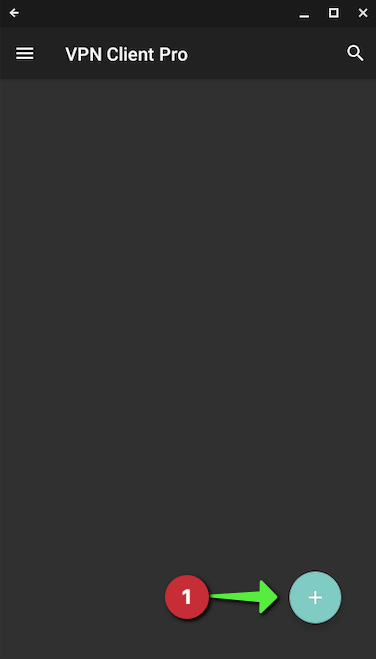
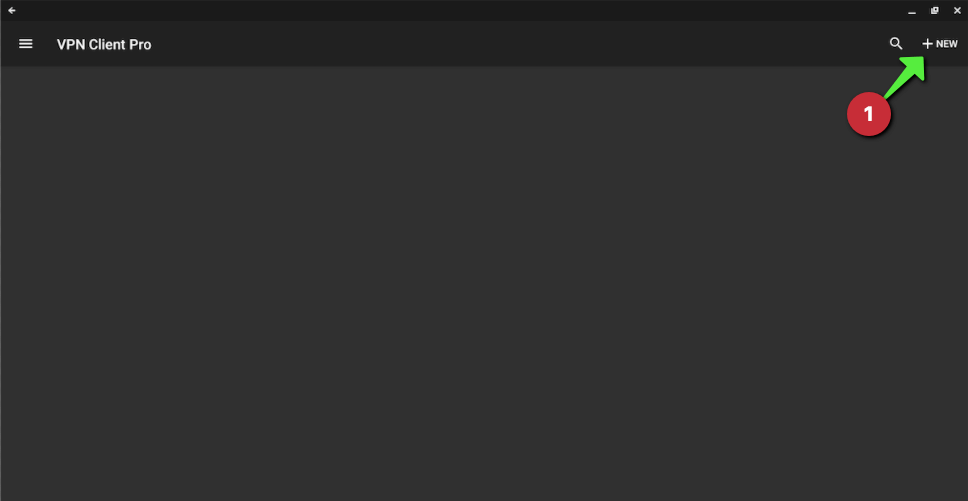
Click on add ( + or +NEW )
OR
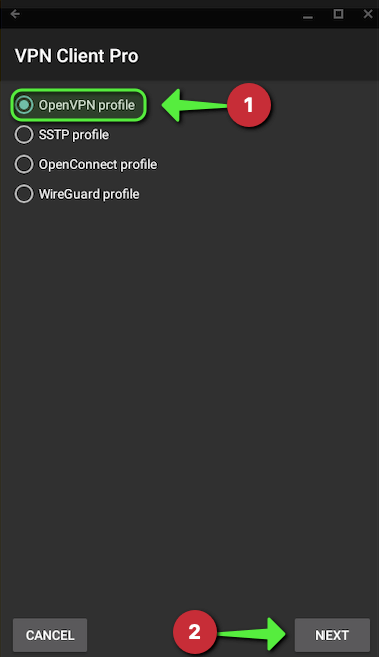
Select OpenVPN profile then click on NEXT
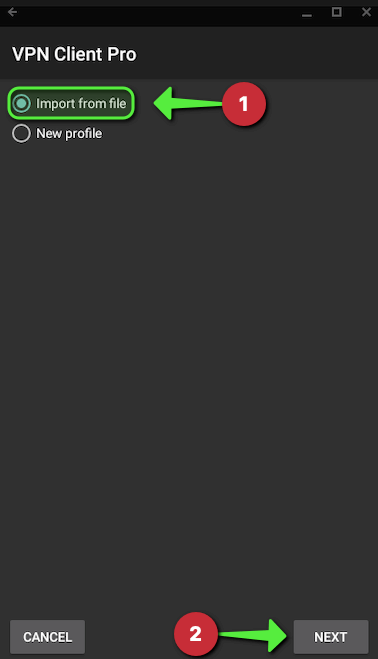
Select Import from file then click on NEXT
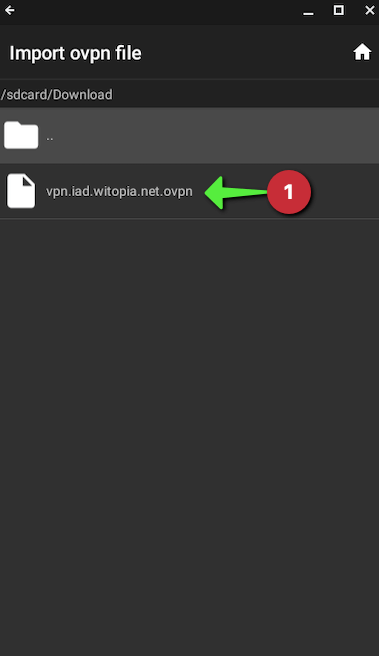
Locate the config file you downloaded earlier and click on the openvpn configuration file
The file you download should be in a folder named Downloads but you may need to navigate your devices folders to locate the file you downloaded it to in the previous steps
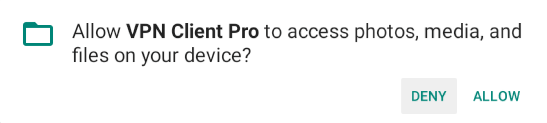
You may be asked for permissions to access files on your device, click on allow
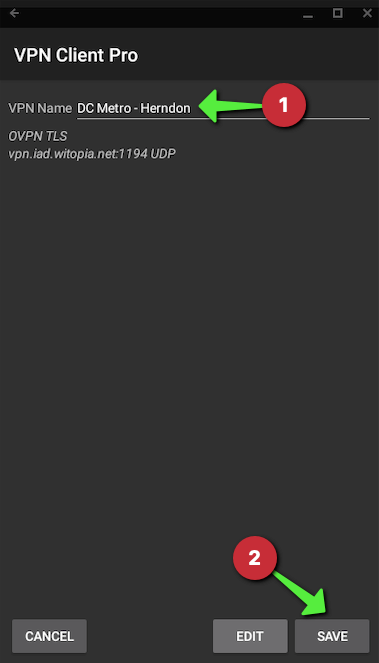
Enter a VPN connection name, then click on SAVE
Connecting and Disconnecting the VPN
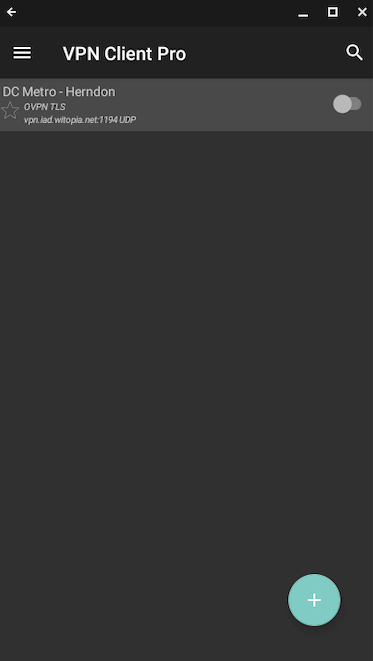
Open VPN Client Pro on your Chromebook
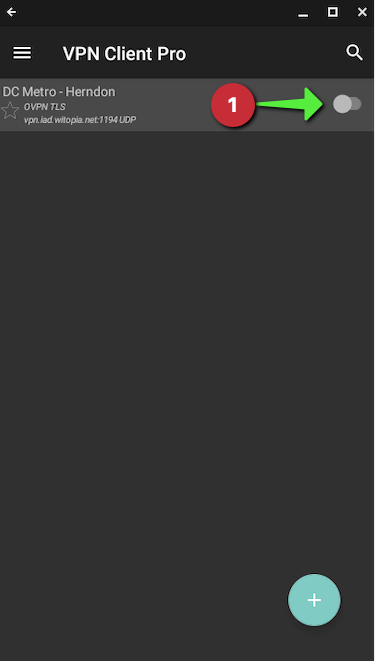
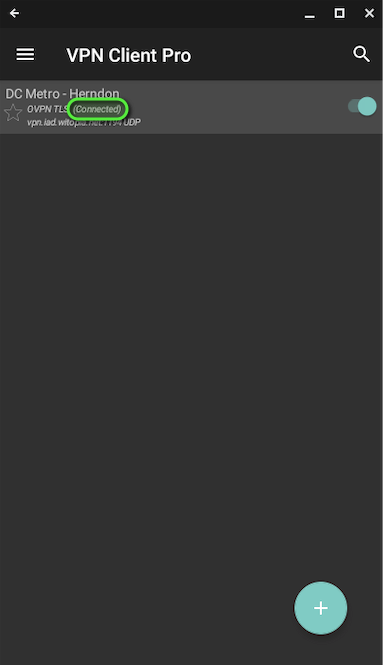
To Connect click on the connection switch/toggle icon
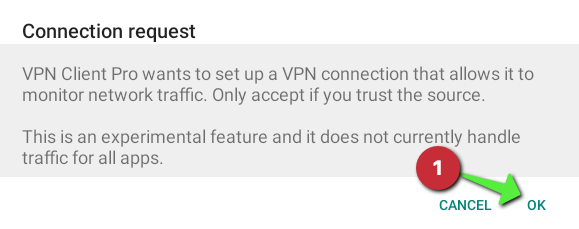
Click on “OK” for the connection request ( if prompted )
Confirm the status changes to connected
To Disconnect click on the connection switch/toggle icon
Install and activate a 30-Day Free Trial of SecureMyEmail. NO PAYMENT INFO IS REQUIRED. If you then decide to purchase a SPECIAL LIFETIME Subscription @$99.99 during trial, you will receive an instant 60% discount code via email for any VPN Service.
These are Limited-Time Offers. Don’t miss out!
VPN discount codes can be used for a new subscription OR to add to your existing subscription. Current customer? log in to the customer portal and choose “Extend/Renew” and then “click to enter adjustment code” during checkout.
Good Riddance 2020 Sale!
This year sucked. Enjoy some amazing end-of-year savings to make it better!
VPN as low as $1.22/month! (36 mo Basic w/ 60% off)
Special Limited-Time LIFETIME Encrypted Email for $99.99!
20% OFF VPN – For play-it-safe, perfectly nice people.
Take 20% off any VPN Service with code: BYE2020
35% OFF VPN + 12 Month Encrypted Email – For Ballers Only.
Install and activate a 30-Day Free Trial of SecureMyEmail. NO PAYMENT INFO IS REQUIRED. If you then decide to purchase an Annual Subscription @$29.99 during trial, you will receive an instant 35% discount code via email for any VPN Service.
60% OFF VPN + LIFETIME Encrypted Email for $99.99 – Original Gangsters.
Install and activate a 30-Day Free Trial of SecureMyEmail. NO PAYMENT INFO IS REQUIRED. If you then decide to purchase a LIFETIME Subscription @$99.99 (Limited-Time Launch Promotion) during trial, you will receive an instant 60% discount code via email for any VPN Service.
These are “Black Friday” Limited-Time Offers and are subject to change at any time. Take advantage of them before we sober up and realize what we’ve done.
VPN discount codes can be used for a new subscription OR to add to your existing subscription.
Existing customers should log in to the customer portal and choose “Extend/Renew” and then “click to enter adjustment code” during checkout.
These offers ARE eligible for commission under the WiTopia Affiliate Programs. If you know colleagues or businesses that may benefit from VPN or Encrypted Email services, sign up now, and make some holiday $$$ spreading the word.
Best. Deal. Ever.
Seriously. We can’t even believe we’re doing this. 😉
VPN as low as $1.22/month! (36 mo Basic with 60% Discount)
Special Limited-Time LIFETIME Encrypted Email for $99.99!
We use cookies to ensure that we give you the best experience on our website and to observe traffic trends. If you continue to use our site we will assume that you're cool with all that.